One workspace for
code, workspace & deals.
Works everywhere you work
Windows, macOS, Linux, Web, and Android today — iOS coming soon. One AbabilX workspace across every device.
- Windows
- macOS
- Linux
- Web
- Android
- Coming sooniOS
One workspace for startups
Kanban, AI, Messages, Wall & CRM — ship, chat, and close deals in one place. GitHub automation included.
Kanban
Boards, tasks, and GitHub-linked cards so the whole team ships in one place.
AI workspace
Your own Ababil AI in the workspace — search, summaries, and assist while you work.
Messages
Channels and DMs for your workspace — threads, reactions, and real-time chat.
Wall & CRM
Wall posts plus contacts, leads, and follow-ups — deals stay next to the work.
Four steps to automation
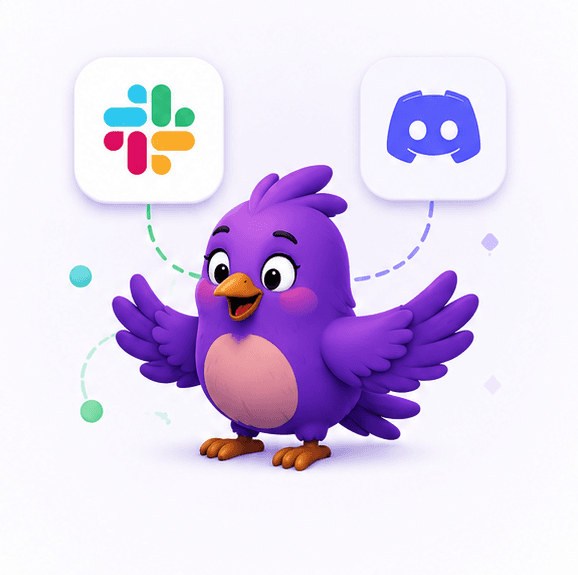
Connect GitHub, set up solo jobs and rules, invite your team, then deliver messages to Slack or Discord.

Built for individuals and startups
Same platform — different workspace when you need org-wide visibility.
For developers
Ship faster, report less
Everything you need on the standard workspace.
- Overview dashboard – repos, rules, connections, and digest at a glance
- Browse and filter GitHub repositories (public, private, collab)
- Auto-commit jobs with plan-based limits
- Slack & Discord custom messages (standups, previews, overrides)
- PR review summaries and personal weekly digests
- Optional weekly digest delivery to your email
- Sign in with GitHub or Google
- Web, mobile app, and desktop – work from anywhere
- Privacy mode to skip DB storage when needed

For your workspace
Ship together, report less
A shared workspace when you need org-wide visibility beyond solo automation.
- Workspace overview – activity, members, Kanban, and digests at a glance
- Kanban boards with tasks, notes, and attachments
- Wall – posts, comments, and file sharing
- Member invites, roles, and workspace settings
- Hourly GitHub activity graphs across your workspace
- Workspace weekly digest and daily update feeds
- Slack & Discord custom messages for workspace channels
- Web, mobile app, and desktop – collaborate from anywhere
- Per-member digest details and workspace-wide reporting
- CRM – contacts, pipeline stages, follow-ups, and deal value tracking
Your automation command center
Solo dashboard plus a shared workspace — repos, jobs, rules, Kanban, and digests in one place.
Connect where you already work
GitHub is required. Custom messages on Slack today; Discord custom delivery rolling out.
Repos, commits, pull requests
Custom standups, digests & channel messages
Custom message delivery for communities
What Our Users Say
Startups swapping Jira, Slack & Salesforce for one affordable workspace

Junayed Ahamed
Flutter Developer
Inilabs
"As a Flutter developer I live on my phone. AbabilX Messages and Wall keep me in the loop without opening Slack, and the board shows what’s next for mobile releases — one app instead of three."

Sorna
Director
Umartco
"Running Umartco meant juggling project boards, chat, and a separate CRM. AbabilX put Kanban, team chat, and deals in one workspace — we dropped the expensive stack and still see everything clearly."

Rabbani Prodhan
Proprietor
VASL
"As proprietor I care about cost and control. VASL replaced Jira-style boards, Slack chatter, and a heavy CRM with AbabilX — one low monthly bill and the whole floor actually uses it every day."

Mahmud Hasan
Marketing
Umartco
"Marketing lives in the CRM now. I track leads, follow-ups, and deal notes next to the Wall — no Salesforce price tag, and I can ping the team in Messages the moment a lead goes hot."

Fahim Rahman
Operations Lead
ShopUp
"We needed speed, not five logins. AbabilX Kanban + Messages replaced messy Slack threads and spreadsheet boards — delivery finally has one source of truth."

Nusrat Jahan
Partnerships
Cefalo
"I run partner outreach in CRM and drop updates on the Wall. Far cheaper than Salesforce, and our BD team actually fills the pipeline every morning."

Tanvir Ahmed
Creative Director
REVE Systems
"Our studio jumped between Trello and WhatsApp. AbabilX board and chat keep designers and clients aligned — light like Jira without the enterprise tax."

Sadia Islam
People Ops
Brain Station 23
"People ops used to chase status on Slack all day. Wall posts and shared boards in one workspace saved hours every week — finance loves the lower tool cost."
Junayed Ahamed
Flutter Developer
Inilabs
"As a Flutter developer I live on my phone. AbabilX Messages and Wall keep me in the loop without opening Slack, and the board shows what’s next for mobile releases — one app instead of three."
Sorna
Director
Umartco
"Running Umartco meant juggling project boards, chat, and a separate CRM. AbabilX put Kanban, team chat, and deals in one workspace — we dropped the expensive stack and still see everything clearly."
Rabbani Prodhan
Proprietor
VASL
"As proprietor I care about cost and control. VASL replaced Jira-style boards, Slack chatter, and a heavy CRM with AbabilX — one low monthly bill and the whole floor actually uses it every day."
Mahmud Hasan
Marketing
Umartco
"Marketing lives in the CRM now. I track leads, follow-ups, and deal notes next to the Wall — no Salesforce price tag, and I can ping the team in Messages the moment a lead goes hot."
Fahim Rahman
Operations Lead
ShopUp
"We needed speed, not five logins. AbabilX Kanban + Messages replaced messy Slack threads and spreadsheet boards — delivery finally has one source of truth."
Nusrat Jahan
Partnerships
Cefalo
"I run partner outreach in CRM and drop updates on the Wall. Far cheaper than Salesforce, and our BD team actually fills the pipeline every morning."
Tanvir Ahmed
Creative Director
REVE Systems
"Our studio jumped between Trello and WhatsApp. AbabilX board and chat keep designers and clients aligned — light like Jira without the enterprise tax."
Sadia Islam
People Ops
Brain Station 23
"People ops used to chase status on Slack all day. Wall posts and shared boards in one workspace saved hours every week — finance loves the lower tool cost."
Built for startups
One workspace for Kanban, AI, Messages, Wall & CRM — start free, then scale the whole team on one bill.
Free
Workspace basics plus GitHub automation to get your startup moving.
- Workspace: Board, Wall & Messages (limited)
- 512 MB shared workspace storage
- Auto-commit up to 7 days per job
- 3 auto-commit days per month
- Up to 2 commits per day
- Slack custom messages (standups & digests)
- Discord custom messages — coming soon
- PR review summaries & weekly digest
- Privacy mode to skip DB storage
Premium
Solo developer — higher automation limits and priority support.
- 1 user — solo developer workspace
- Auto-commit up to 365 days per job
- Unlimited monthly auto-commit days
- Up to 10 commits per day
- Slack — schedule, preview & override
- Discord custom messages (rolling out)
- PR review summaries & weekly digest
- Priority support
Workspace
One bill for the whole workspace
Full workspace for startups — Kanban, AI, chat, wall & CRM. Leader pays once per seat.
- Kanban — up to 15 boards per workspace
- AI workspace — search, summaries & assist
- Messages — channels, DMs & real-time chat
- Wall & CRM — posts, contacts, leads & follow-ups
- 45 GB shared workspace storage
- Up to 30 members per workspace
- Everything in Premium, per member
- One monthly bKash bill, billed per seat
Solo Premium is $2/month for one developer. Workspace Premium is billed per member — the leader pays a single monthly bill (bKash) and every member gets full workspace access. Boards and storage scale with your workspace.
Common questions
- How do I sign in?
- Use Sign in with GitHub (recommended) or Google. GitHub connects your repositories; Google is supported for quick access on web and mobile.
- What is privacy mode?
- When enabled in Settings, AbabilX avoids storing repository and commit data in our database. You can turn it on or off anytime.
- What does Premium include?
- Premium unlocks higher auto-commit limits (up to 365 days per job, unlimited monthly days, up to 10 commits per day) and priority support. Everything runs in the same user dashboard as Free.
- What are custom message services?
- AbabilX lets you schedule and customize standups, digests, and one-off updates for Slack (live today) and Discord (rolling out). Preview AI copy, override a message before send, and target the right channel.
- Is Discord supported?
- Slack custom messaging is fully available. Discord custom message delivery is rolling out — you will see it marked coming soon until your workspace is enabled.
- How do workspaces work?
- Create or join a workspace from the Workspace tab. Leaders invite members, configure shared repos, and unlock Kanban boards, workspace weekly digests, daily updates, and overview stats. Solo automation (auto-commit, rules, PR review) stays on your personal dashboard.
One workspace for your startup
Kanban, AI, Messages, Wall & CRM — plus GitHub automation. Invite the team and start free. No credit card required.